What it does
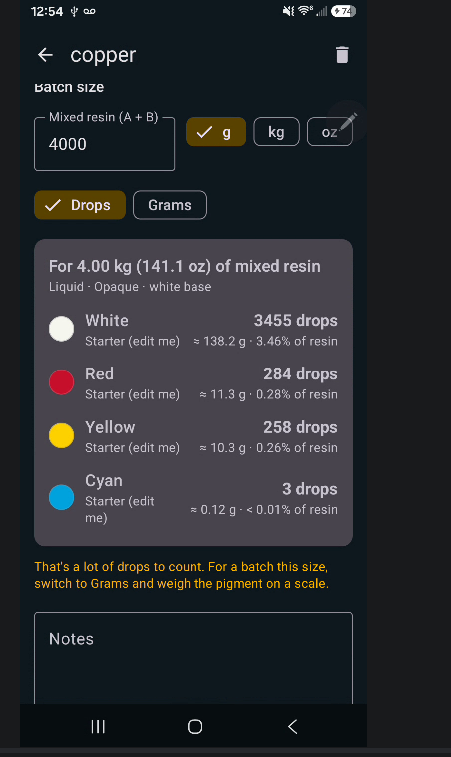
Works out the recipe
Choose a target color with the picker, a hex code, or by tapping a photo. The app finds the closest mix from the pigments you own and shows drops or grams for your batch size.
Opaque or see-through
Solid colors on a white base, or translucent colors in clear resin. For translucent pours it accounts for how thick the pour is, because depth changes the color a lot.
Epoxy and 3D printer resin
Liquid pigments, mica powders and color-shift micas for casting. Liquid dyes with lower limits and exposure reminders for MSLA, LCD and DLP printers.
Saves your recipes
Save a mix, add notes, and rescale it to any batch size later in grams, kilograms or ounces.
How to install
The app isn't on Google Play yet, so Android asks you to confirm before installing it.
Download the file
Tap Download for Android on your phone. You'll get a file called ResinColorCre8.apk.
Open it
Tap the download when it finishes, or find it in your Files app under Downloads.
Allow the install
If Android says your browser isn't allowed to install apps, tap Settings, turn on Allow from this source, then go back.
Tap Install
Google Play Protect may say it doesn't recognize the app. That's normal for apps not from the Play Store. Tap More details → Install anyway.
To update later, download the new version from this page and install it over the old one. Your pigments and recipes stay.
Printing with tinted resin?
Only add liquid dyes to printer resin. Never put these in the vat:
- Mica powders, including color-shift micas
- Glitter, metallic or pearl powders
- Any dry powder pigment
They sink onto the FEP film, block the UV light and cause failed prints. Tinted resin also needs a little more exposure, so run a test print first. The app's built-in guide covers all of this.
Help test it
This is an early version and your feedback shapes it. The most useful things to send:
- Anything confusing or broken, with a screenshot
- A photo of your cured test chip next to the app's predicted color
- Which pigment brands you use